$7.99
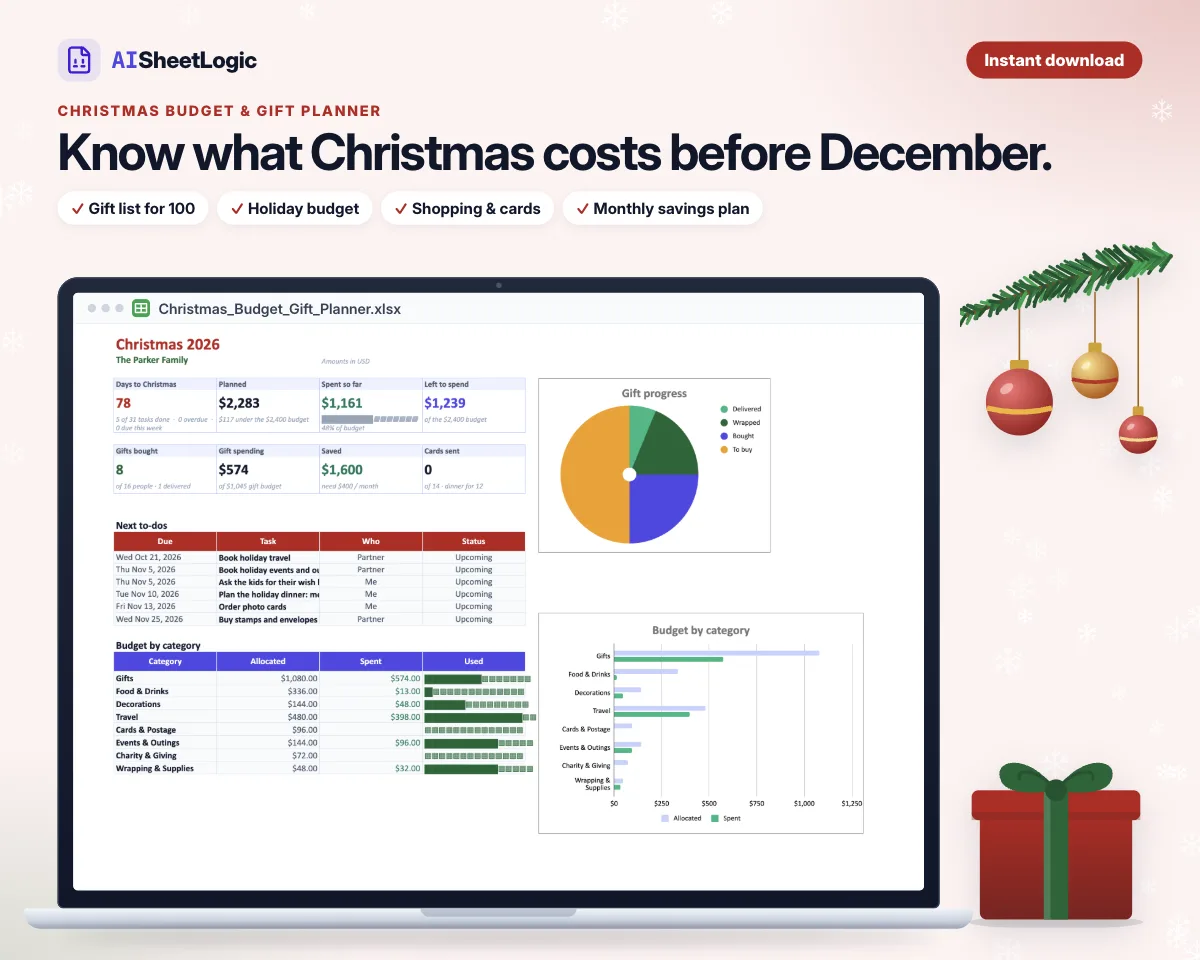
Know what Christmas will cost before December: budget, gift list for 100, dinner, and a savings plan.
Excel Google Sheets Apple Numbers No macros
Up to 20 goals with progress bars, months left, needed per month, and on-track status. A 1,000-row deposit log, a dashboard, a monthly view, and an increasing or decreasing 52-week challenge.
$, £, and € editions with sample data. Instant digital download. Nothing ships. Personal use only.
30-day guarantee: if a file doesn't open or work for you, email hi@aisheetlogic.com and we'll fix it or refund you in full. Details
Sample data is included so you can click through before replacing it. $, £, and € editions. No macros.
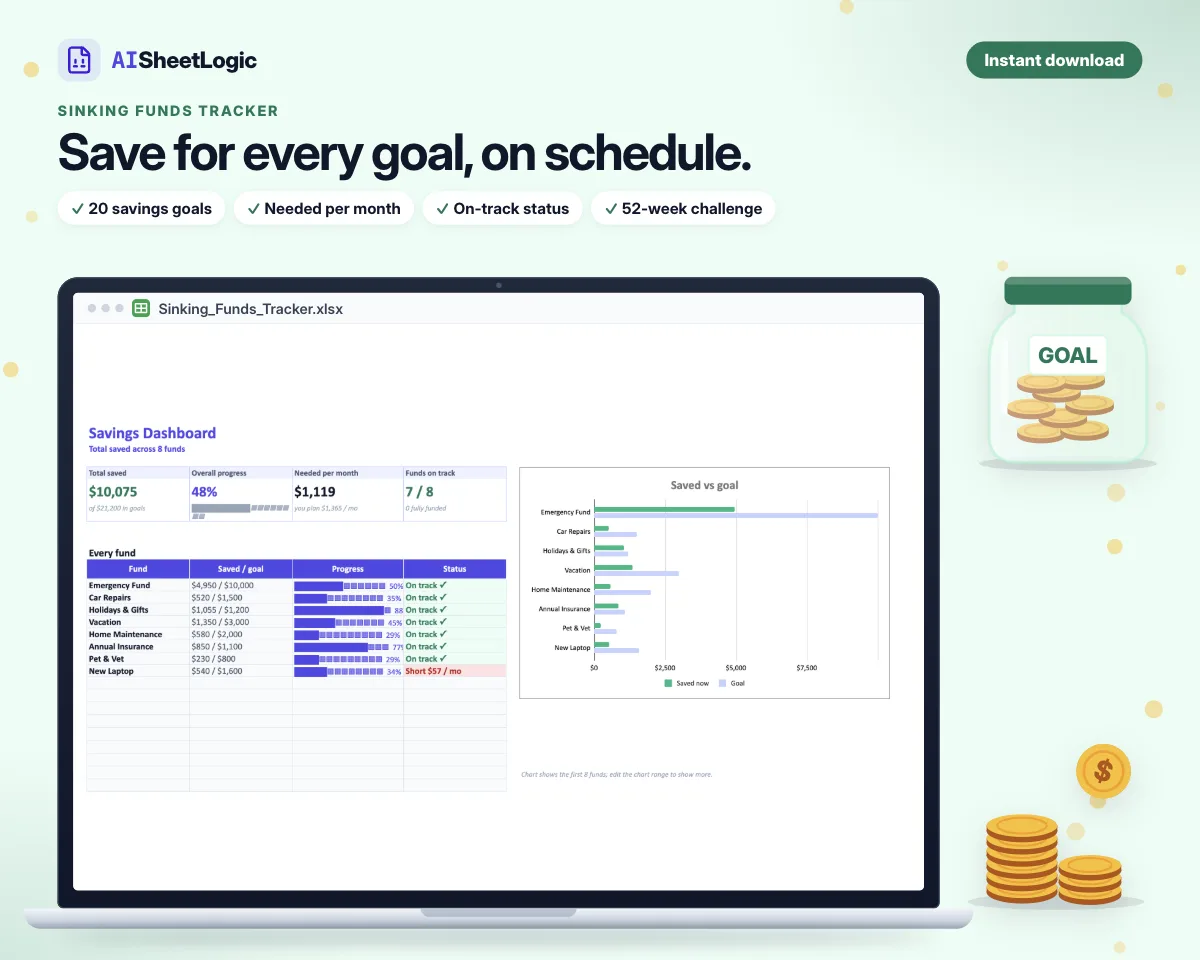
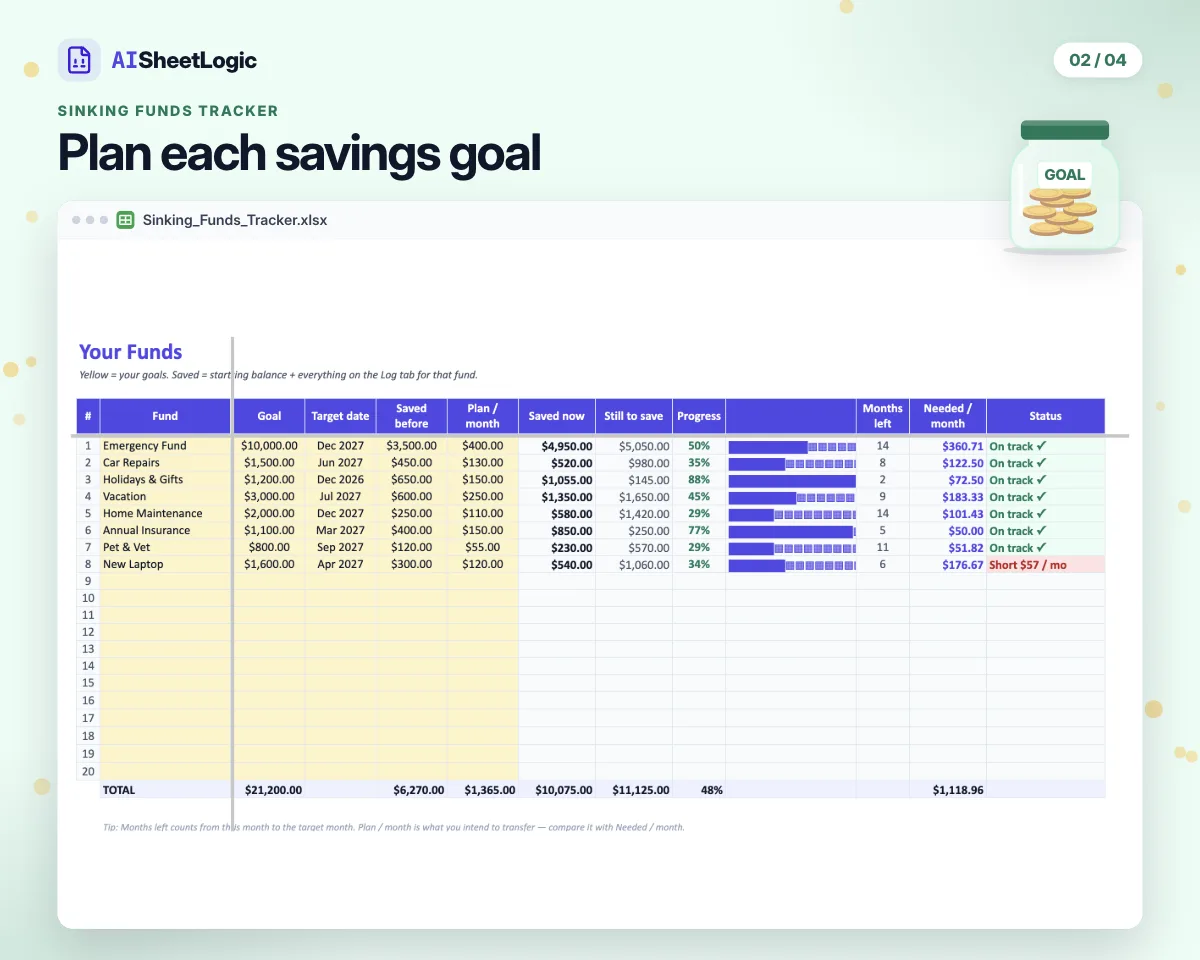
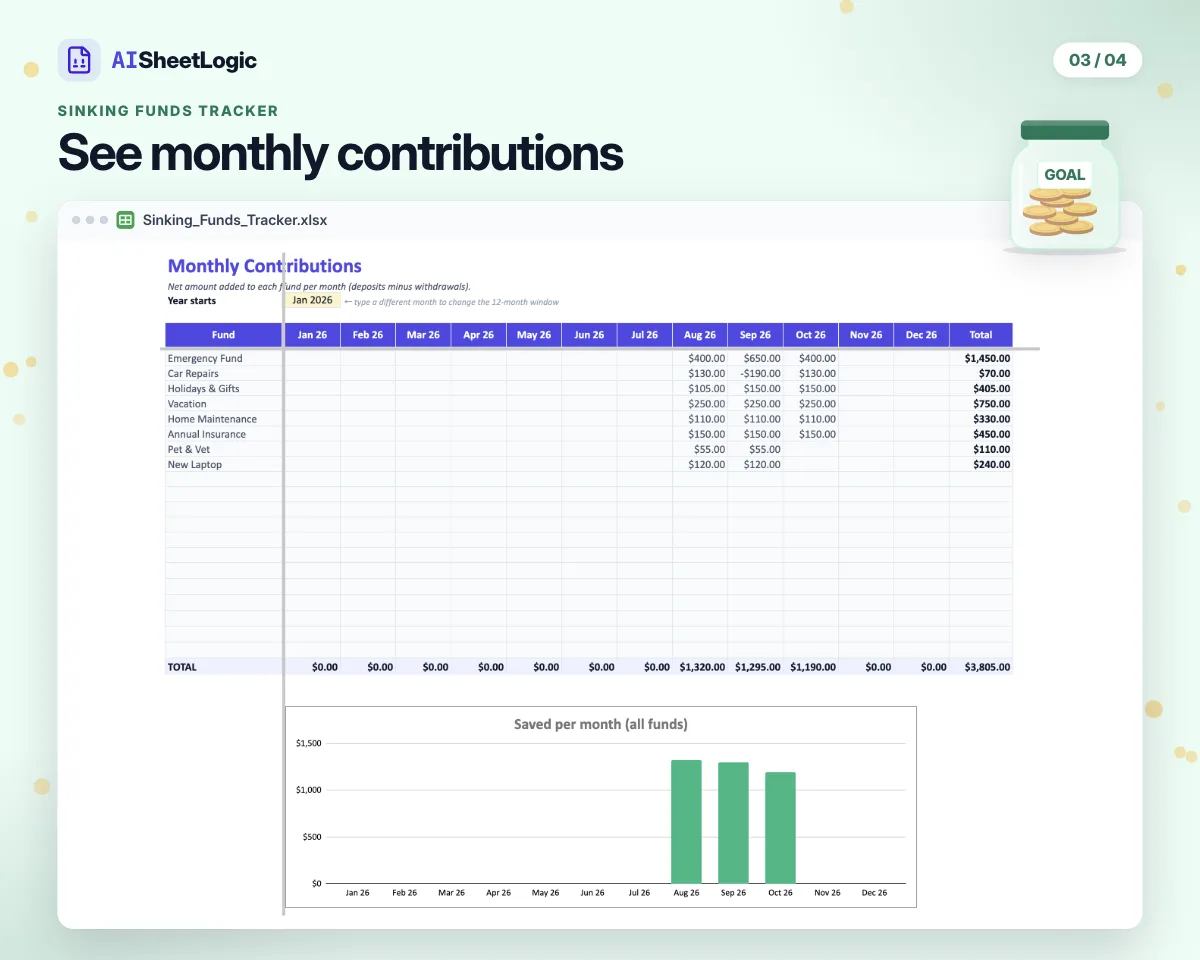
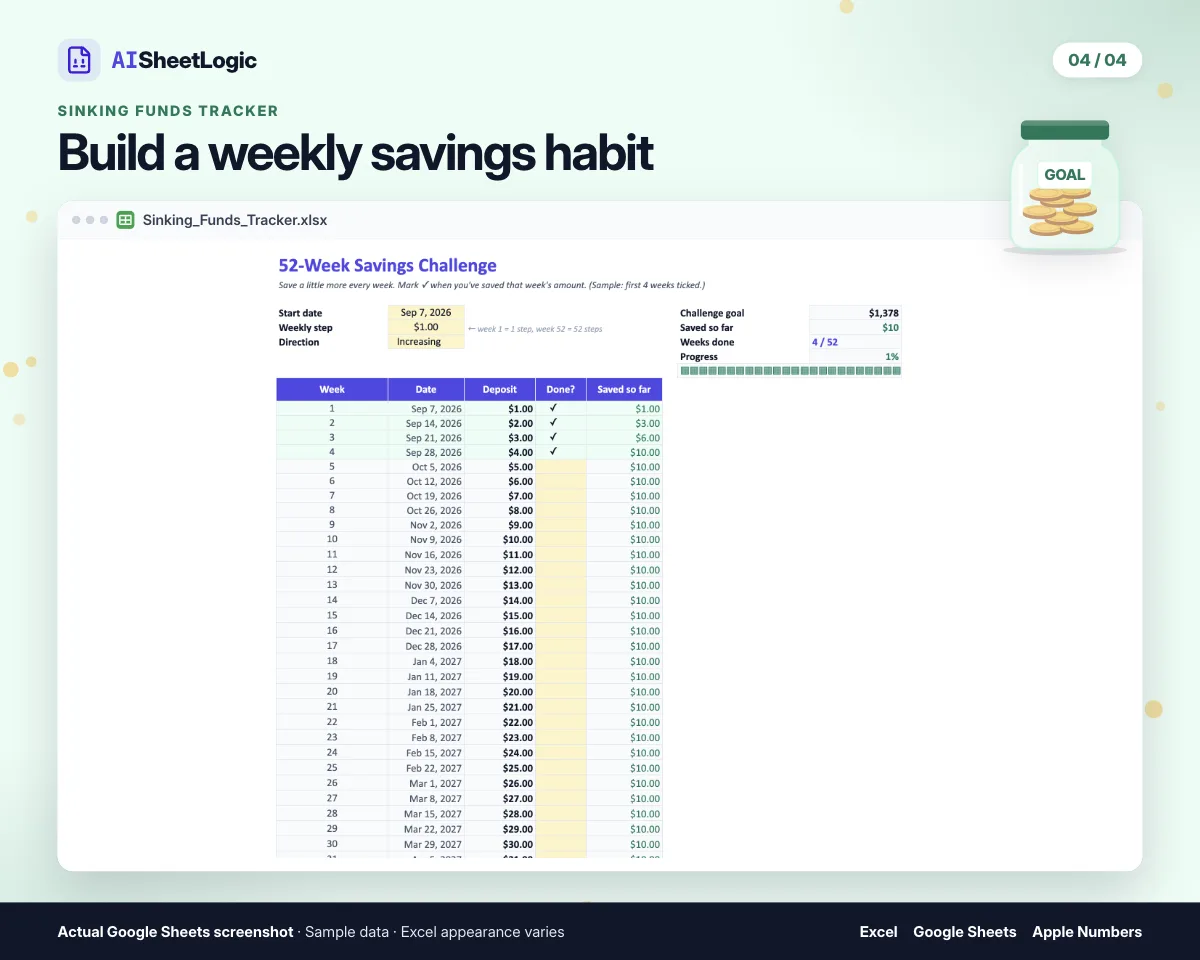
Track up to 20 savings goals.
Each goal shows a progress bar, months left, needed per month, and an on-track status.
The deposit log holds 1,000 rows.
Open the dashboard and monthly view, and run the 52-week challenge increasing or decreasing.
Progress bars, months left, needed per month, and on-track status.
A dashboard plus a monthly view, fed by the 1,000-row deposit log.
Run the challenge increasing or decreasing.
One .xlsx for Excel 2016+, Google Sheets, and Apple Numbers. No macros.
Three currency editions, each with sample data already filled in. Personal use only — do not resell or redistribute the file.
Open the file in Excel 2016 or newer, or Microsoft 365. No macros.
File → Import → Upload, then Replace spreadsheet. Or upload to Drive and Open with Google Sheets.
File → Open on Mac, iPad, or iPhone. No macros.
Microsoft Excel 2016 or newer, Google Sheets, and Apple Numbers. There are no macros.
Up to 20 savings goals, each with a progress bar, months left, needed per month, and an on-track status.
A 52-week savings challenge you can run increasing or decreasing, alongside the deposit log, dashboard, and monthly view.
$, £, and € editions, each with sample data.
No. It is a planning tool, not financial, tax, or legal advice. Personal use only.
Save 29%
Monthly Budget Planner, Bill Tracker & Bill Calendar, Sinking Funds Tracker, and Debt Payoff Tracker together for $24.99, versus $34.96 if you buy them separately.
$7.99 · Instant download · Excel, Google Sheets & Apple Numbers
30-day guarantee: if a file doesn't open or work for you, email hi@aisheetlogic.com and we'll fix it or refund you in full. Details
Save a little more each week and see the running total. Increasing or decreasing, any starting amount. Excel, Google Sheets, and Apple Numbers. Enter your email at checkout and we send the file, plus a note when a new spreadsheet comes out.
$7.99
Know what Christmas will cost before December: budget, gift list for 100, dinner, and a savings plan.
$9.99
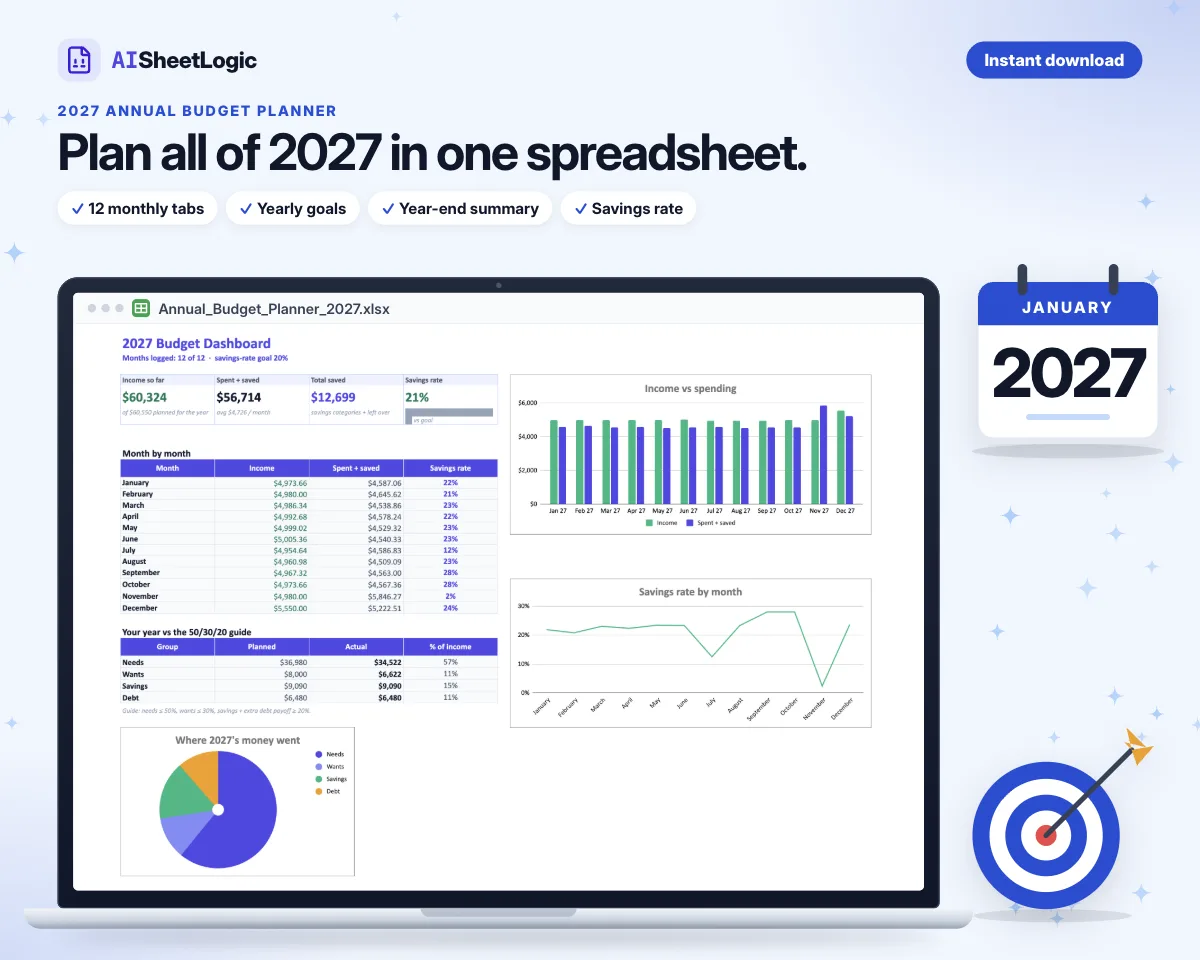
Plan all of 2027: a 12-month plan, a tab for every month, yearly goals, and a year-end summary.
$9.99
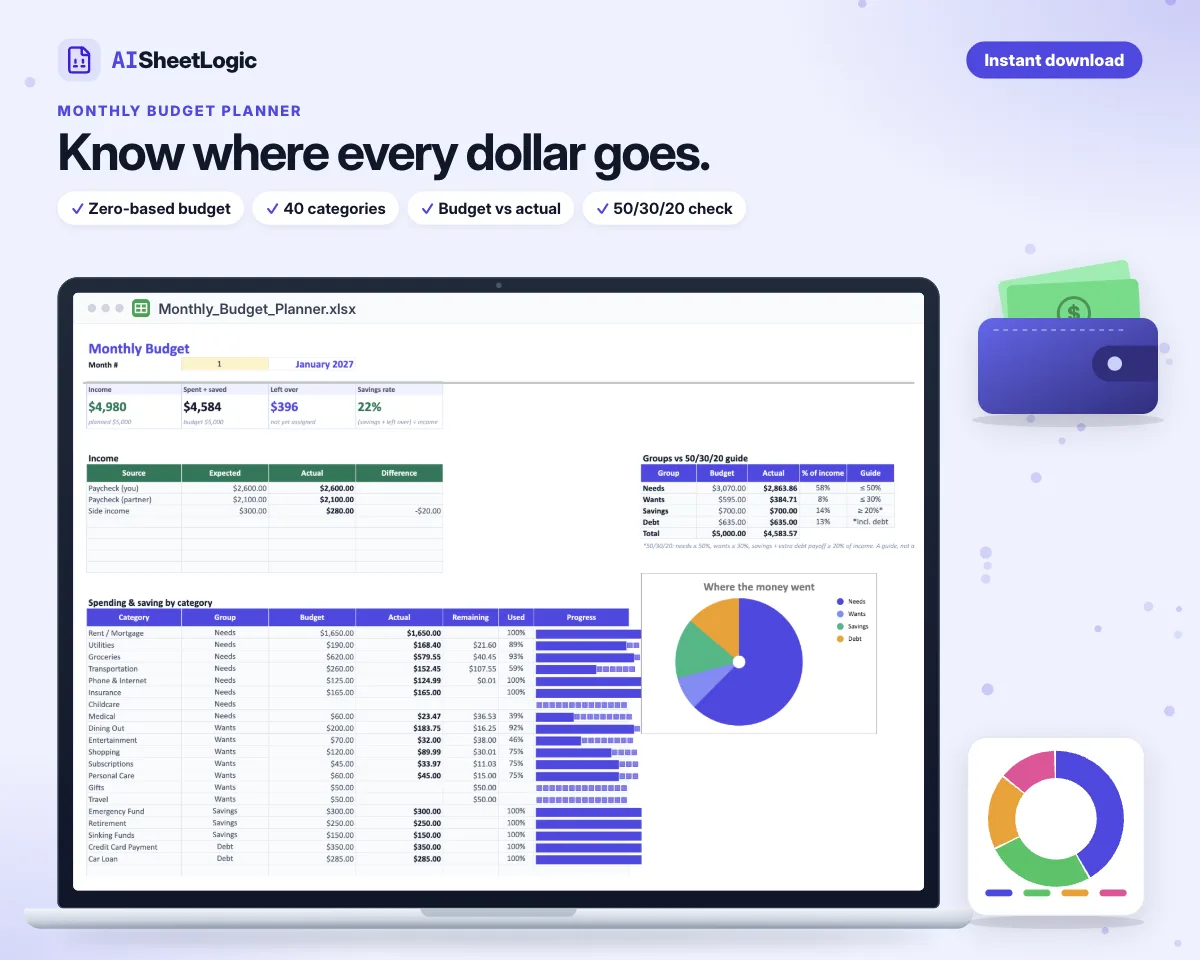
Give every dollar a job: zero-based budget, 40 categories, budget vs actual, and a 12-month view.
$9.99
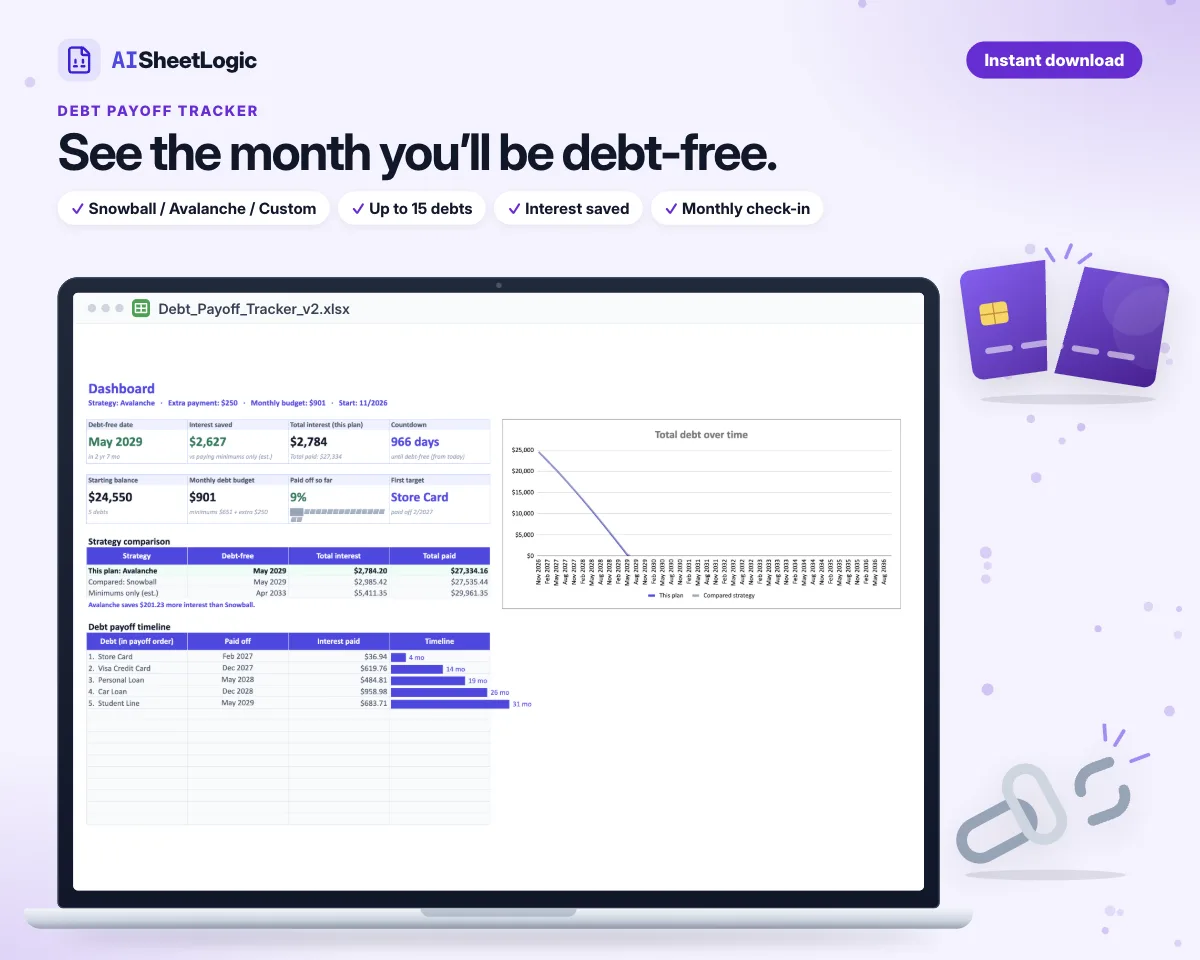
See your debt-free date and the interest you save: Snowball, Avalanche, or your own order.
$6.99
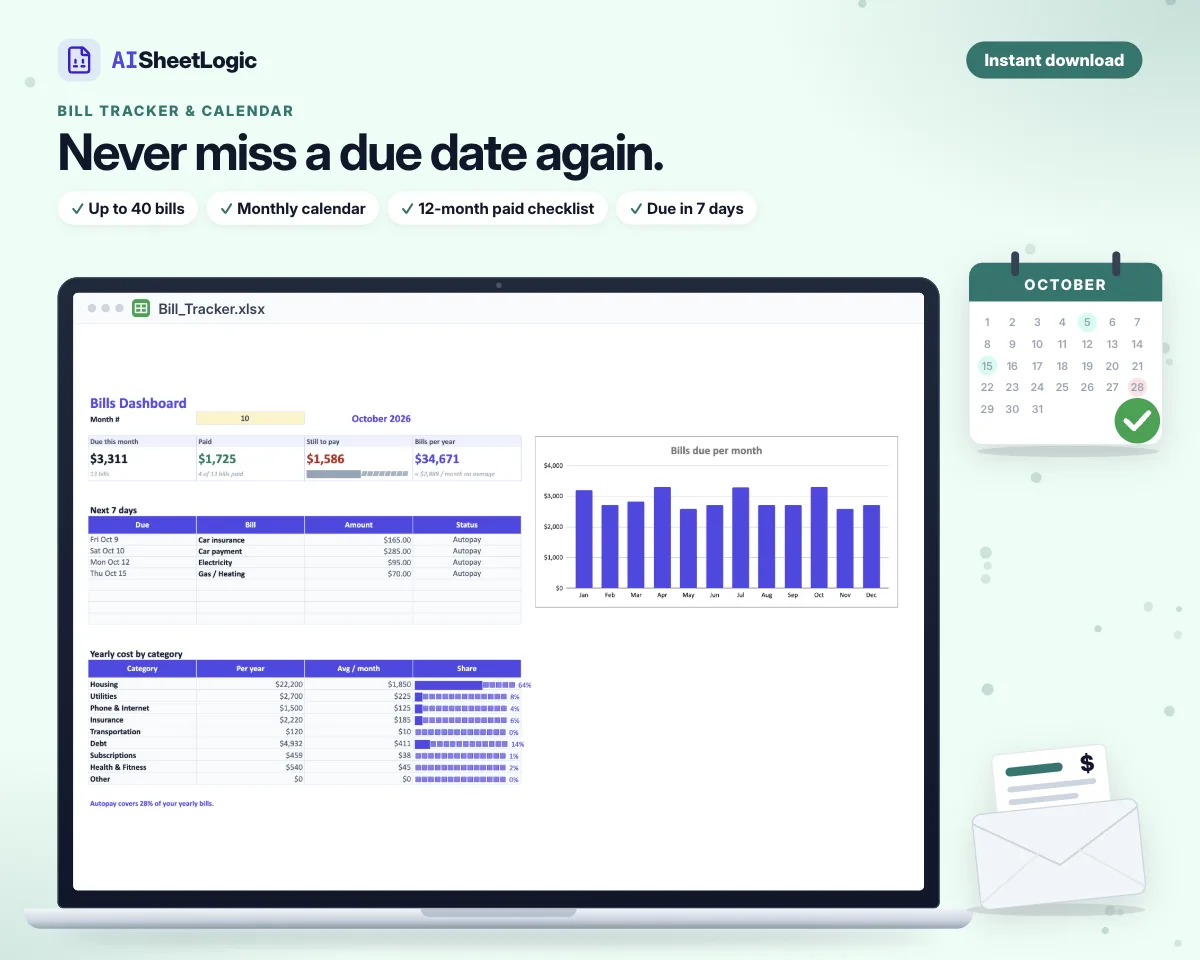
Never miss a due date: 40 bills, a monthly calendar, a paid checklist, and the next 7 days.
$7.99
Save for 20 goals at once, see what to put aside each month, plus a 52-week challenge.
$12.99
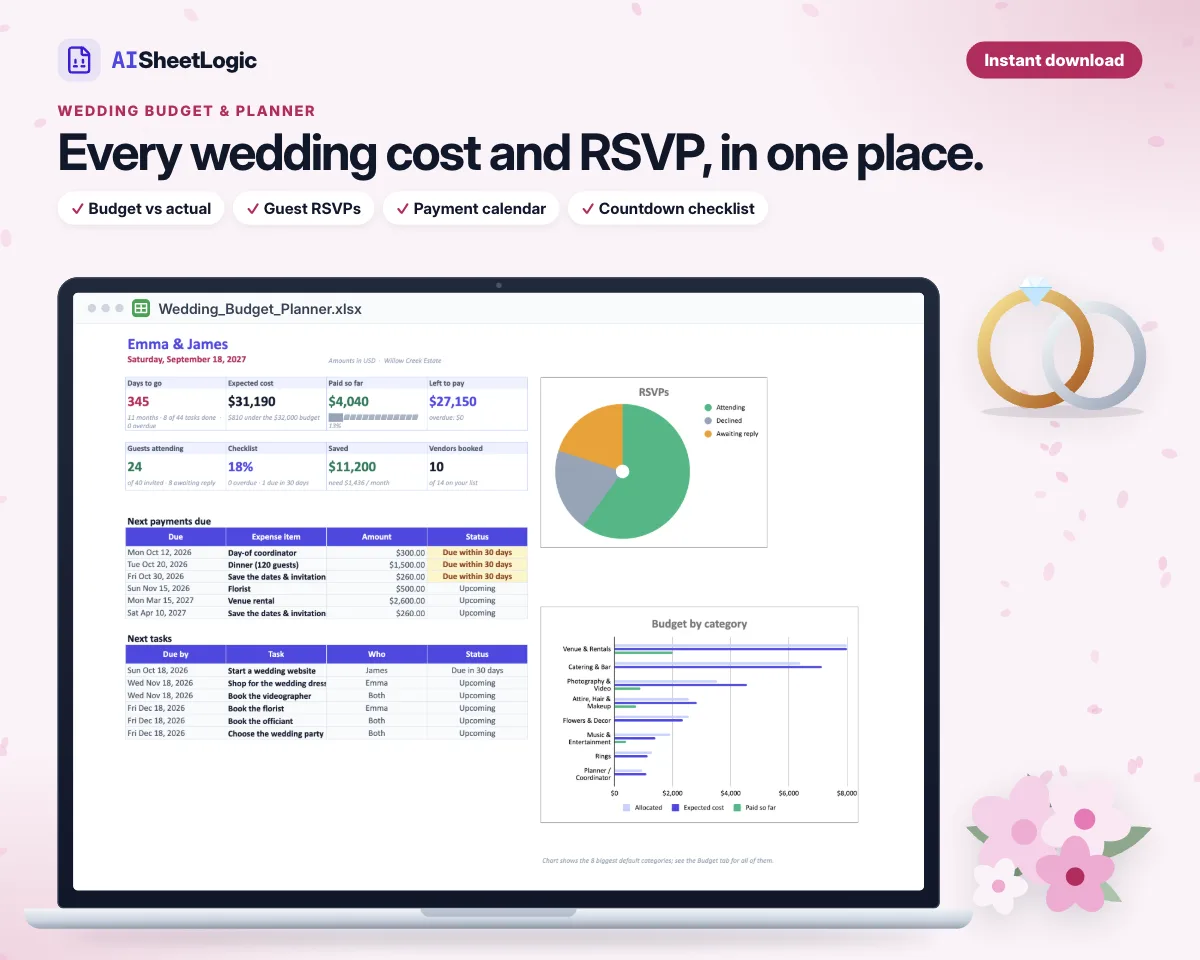
Budget vs actual, a payment calendar, vendors, guest RSVPs, and a countdown checklist.
$9.99
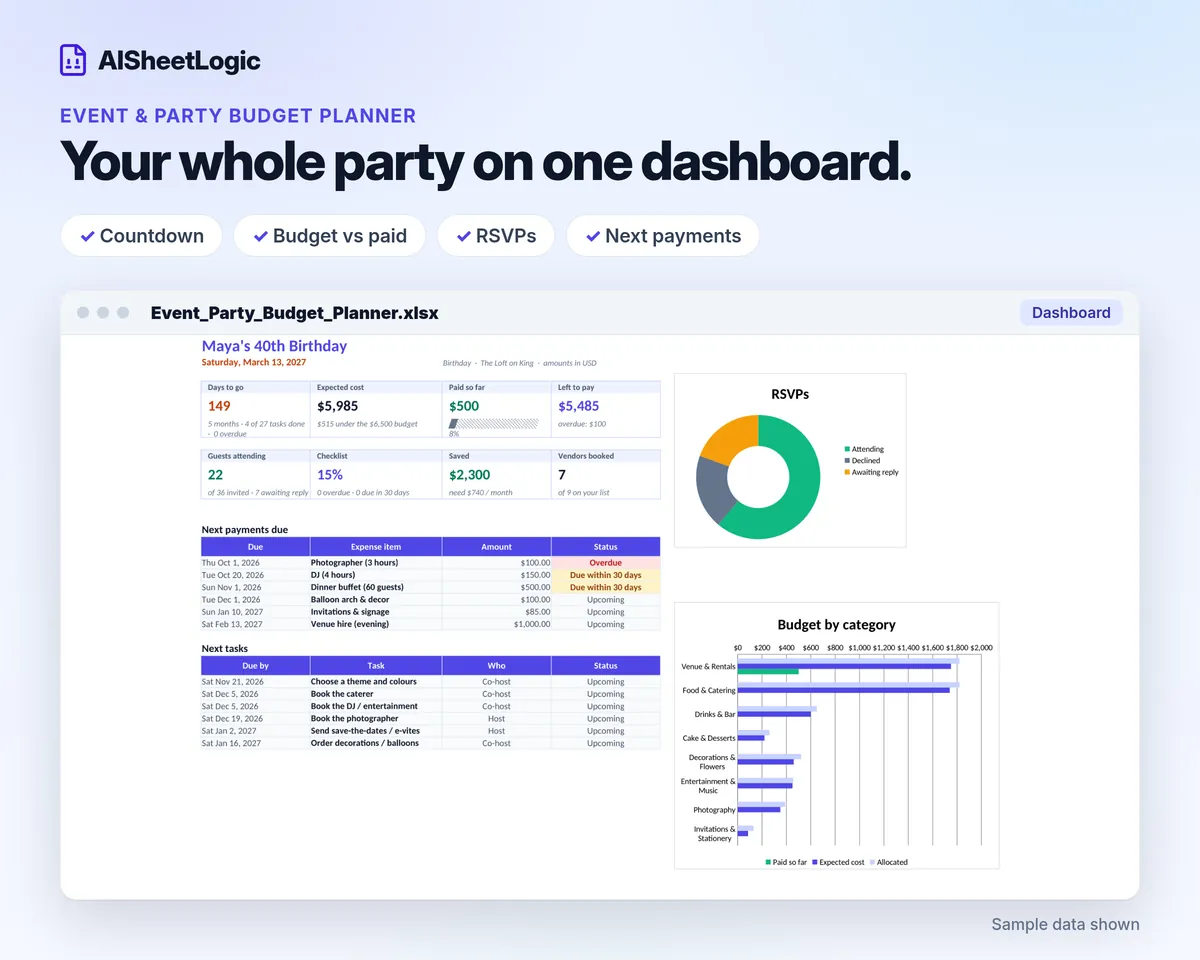
Budget vs actual, a payment calendar, vendors, guest RSVPs, and a countdown checklist for any party.
$4.99
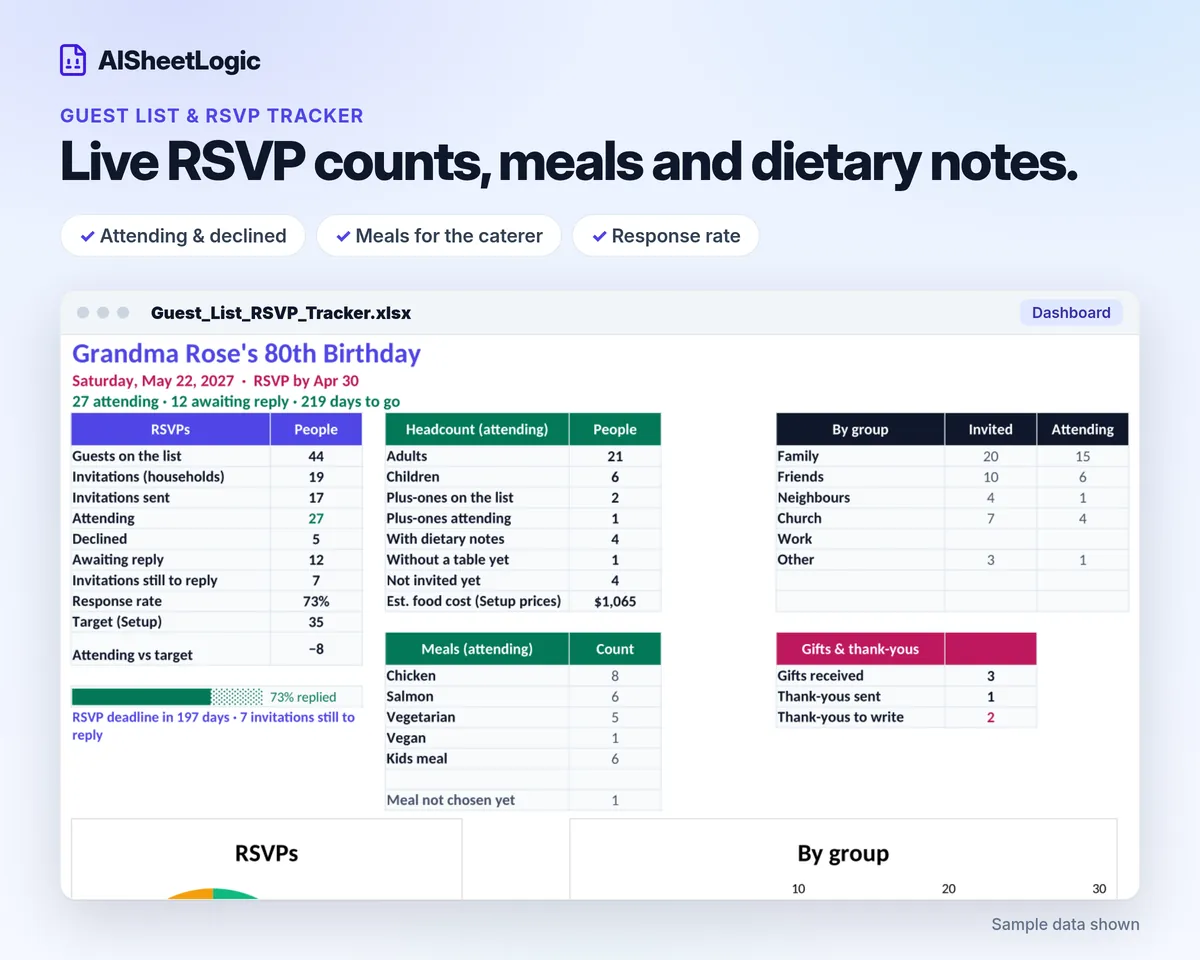
Guests by household with live RSVP counts, meals, seating and thank-you notes.